D-Link DGS-1008D/K2A: PDF инструкция по эксплуатации
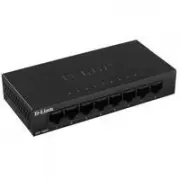
Инструкция по эксплуатации D-Link DGS-1008D/K2A. Ниже вы найдете PDF инструкцию на русском языке.
Не нашли ответ на свой вопрос? Напишите нам, и мы оперативно вам поможем.
Содержание:
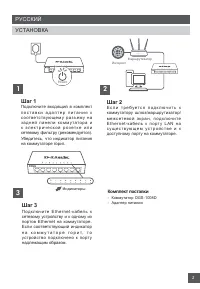
- страница 2 – РУССКИЙ; Комплект поставки; УСТАНОВКА
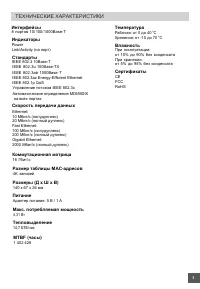
- страница 3 – ТЕХНИЧЕСКИЕ ХАРАКТЕРИСТИКИ
- страница 4 – ПРАВИЛА И УСЛОВИЯ БЕЗОПАСНОЙ ЭКСПЛУАТАЦИИ
- страница 5 – ТЕХНИЧЕСКАЯ ПОДДЕРЖКА; ОФИСЫ; Техническая поддержка через Интернет:; Հայաստան; לארשי
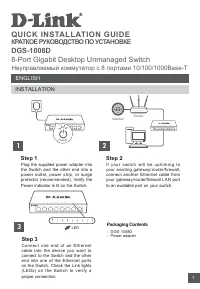
QUICK INSTALLATION GUIDE
КРАТКОЕ РУКОВОДСТВО ПО УСТАНОВКЕ
DGS-1008D
8-Port Gigabit Desktop Unmanaged Switch
Неуправляемый коммутатор с 8 портами 10/100/1000Base-T
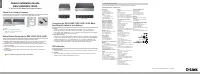
INSTALLATION
ENGLISH
Маршрутизатор
Интернет
1
Step 1
Plug the supplied power adapter into
the Switch and the other end into a
power outlet, power strip, or surge
protector (recommended). Verify the
Power indicator is lit on the Switch.
Step 2
I f y o u r s w i t c h w i l l b e u p l i n k i n g t o
your existing gateway/router/firewall,
connect another Ethernet cable from
your gateway/router/firewall LAN port
to an available port on your switch.
2
Router
Internet
Power
Step 3
Connect one end of an Ethernet
cable into the device you want to
connect to the Switch and the other
end into one of the Ethernet ports
on the Switch. Check the Link lights
(LEDs) on the Switch to verify a
proper connection.
3
LED
-
DGS- 1008D
- Power adapter
Packaging Contents
1