HP DL380 Gen10 (P24842-B21): PDF инструкция по эксплуатации
Инструкция по эксплуатации HP DL380 Gen10 (P24842-B21). Ниже вы найдете PDF инструкцию на русском языке.
Не нашли ответ на свой вопрос? Напишите нам, и мы оперативно вам поможем.
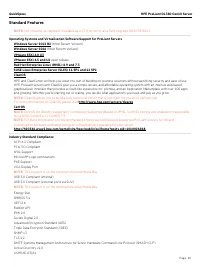
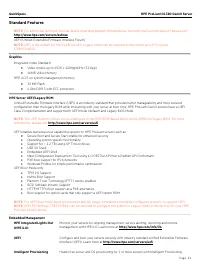
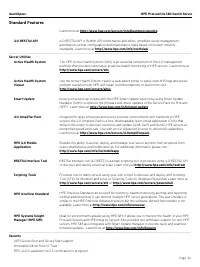
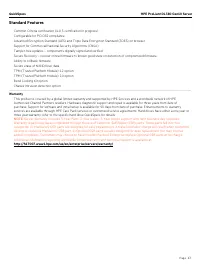
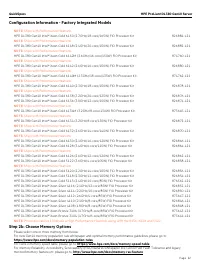
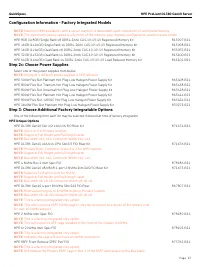
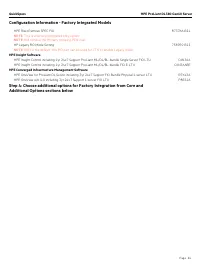
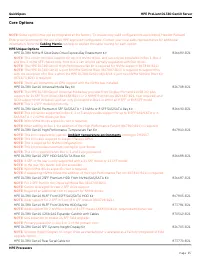
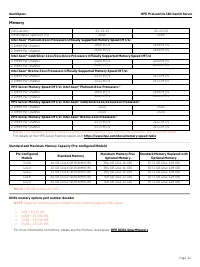
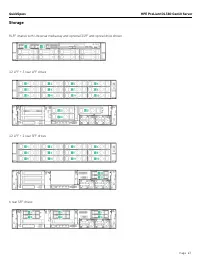
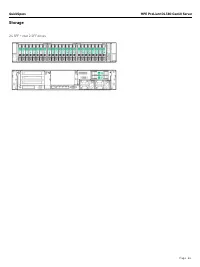
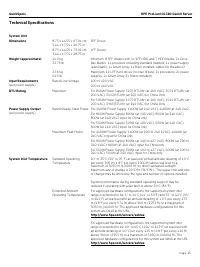
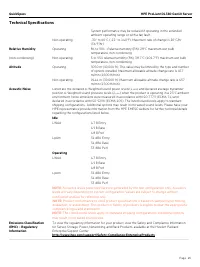
QuickSpecs
HPE ProLiant DL380 Gen10 Server
Overview
Page 1
HPE ProLiant DL380 Gen10 Server QuickSpecs
Adaptable for diverse workloads and environments, the secure 2P 2U HPE ProLiant DL380 Gen10 delivers world-class
performance with the right balance of expandability and scalability. Designed for supreme versatility and resiliency while being
backed by a comprehensive warranty make it ideal for multiple environments from Containers to Cloud to Big Data. Standardize on
the industry’s most trusted compute platform.
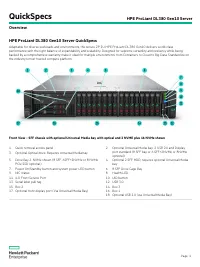
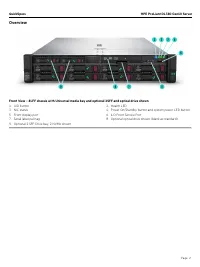
Front View – SFF chassis with optional Universal Media bay with optical and 2 NVME plus 16 NVMe shown
1. Quick removal access panel
2. Optional Universal Media bay. 2 USB 2.0 and Display
port standard (8 SFF bay or 6 SFF+2NVMe or 8NVMe
optional)
3. Optional Optical drive. Requires Universal Media bay
5. Drive Bay 2. NVMe shown (8 SFF, 6SFF+2NVMe or 8 NVMe
PCIe SSD optional)
4. Optional 2 SFF HDD, requires optional Universal Media
bay
7. Power On/Standby button and system power LED button
6. 8 SFF Drive Cage Bay
9. NIC status
8. Health LED
11. iLO Front Service Port
10. UID button
13. Serial label pull tag
12. USB 3.0
15. Box 2
14. Box 3
17. Optional front display port (Via Universal Media Bay)
16. Box 1
18. Optional USB 2.0 (via Universal Media Bay)