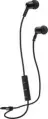
Mee Audio X1 Coral/White (X1-CRWT): PDF инструкция по эксплуатации - страница 7
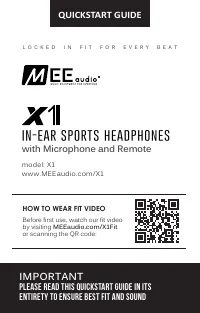
Содержание:
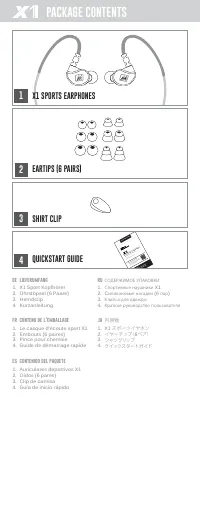
- страница 2 – PACKAGE CONTENTS; lieferumfang; X1 SPORTS EARPHONES
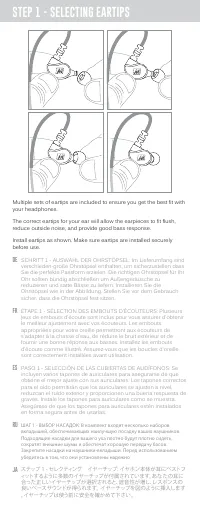
- страница 3 – STEP 1 - SELECTING EARTIPS; reduce outside noise, and provide good bass response.
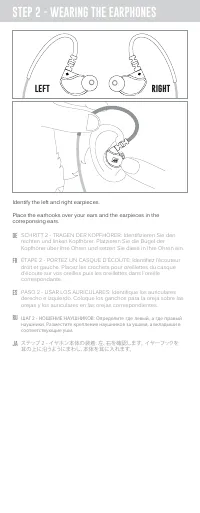
- страница 4 – Identify the left and right earpieces.; LEFT
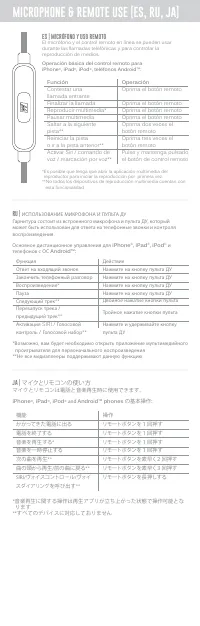
- страница 8 – Función; El micrófono y el control remoto en línea se pueden usar; iPhone; マイクとリモコンの使い方
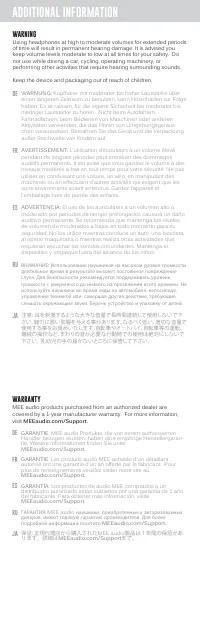
- страница 9 – WARNING; ADDITIONAL INFORMATION; WARRANTY; GARANTIE
- страница 10 – FOR ADDITIONAL SUPPORT; • View FAQs and troubleshooting guides at; MEE audio; Email
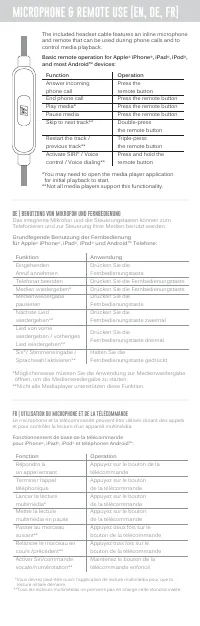
Grundlegende Benutzung der Fernbedienung
für Apple
®
iPhone
®
, iPad
®
, iPod
®
und Android™ Telefone:
DE | BENUTZUNG VON MIKROFON UND FERNBEDIENUNG
Das integrierte Mikrofon und die Steuerungstasten können zum
Telefonieren und zur Steuerung Ihrer Medien benutzt werden.
*Möglicherweise müssen Sie die Anwendung zur Medienwiedergabe
öffnen, um die Medienwiedergabe zu starten.
**Nicht alle Mediaplayer unterstützen diese Funktion.
Anwendung
Drücken Sie die
Fernbedienungstaste
Drücken Sie die Fernbedienungstaste
Drücken Sie die Fernbedienungstaste
Drücken Sie die
Fernbedienungstaste
Drücken Sie die
Fernbedienungstaste zweimal
Drücken Sie die
Fernbedienungstaste dreimal
Halten Sie die
Fernbedienungstaste gedrückt
Funktion
Eingehenden
Anruf annehmen
Telefonat beenden
Medien wiedergeben*
Medienwiedergabe
pausieren
Nächste Lied
wiedergeben**
Lied von vorne
wiedergeben / vorheriges
Lied wiedergeben**
Siri
®
/ Stimmeneingabe /
Sprachwahl aktivieren**
MICROPHONE & REMOTE USE [EN, DE, FR]
The included headset cable features an inline microphone
and remote that can be used during phone calls and to
control media playback.
Basic remote operation for Apple
®
iPhone
®
, iPad
®
, iPod
®
,
and most Android™ devices:
*You may need to open the media player application
for initial playback to start.
**Not all media players support this functionality.
Function
Answer incoming
phone call
End phone call
Play media*
Pause media
Skip to next track**
Restart the track /
previous track**
Activate SIRI
®
/ Voice
control / Voice dialing**
Operation
Press the
remote button
Press the remote button
Press the remote button
Press the remote button
Double-press
the remote button
Triple-press
the remote button
Press and hold the
remote button
Fonctionnement de base de la télécommande
pour iPhone
®
, iPad
®
, iPod
®
et téléphones Android™:
*Vous devrez peut-être ouvrir l’application de lecture multimédia pour que la
lecture initiale démarre.
**Tous les lecteurs multimédias ne prennent pas en charge cette xfonctionnalité.
Fonction
Répondre à
un appel entrant
Terminer l’appel
téléphonique
Lancer la lecture
multimédia*
Mettre la lecture
multimédia en pause
Passer au morceau
suivant**
Relancer le morceau en
cours /précédent**
Activer Siri/commande
vocale/numérotation**
Operation
Appuyez sur le bouton de la
télécommande
Appuyez sur le bouton
de la télécommande
Appuyez sur le bouton
de la télécommande
Appuyez sur le bouton
de la télécommande
Appuyez deux fois sur le
bouton de la télécommande
Appuyez trois fois sur le
bouton de la télécommande
Maintenez le bouton de la
télécommande enfoncé
FR | UTILISATION DU MICROPHONE ET DE LA TÉLÉCOMMANDE
Le microphone et la télécommande peuvent être utilisés durant des appels
et pour contrôler la lecture d'un appareil multimédia.