Xtrfy K5: PDF инструкция по эксплуатации - страница 5


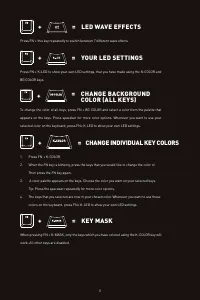
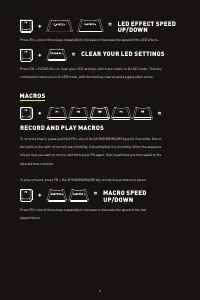
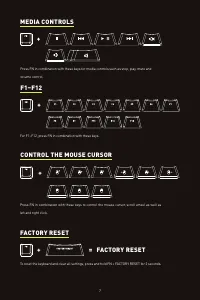
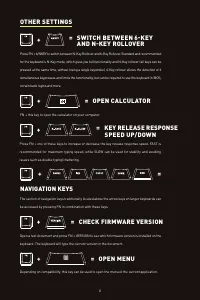
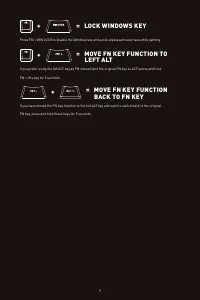




= LED WAVE EFFECTS
Press FN + this key repeatedly to switch between 7 different wave effects.
+
= YOUR LED SETTINGS
Press FN + K-LED to show your own LED settings, that you have made using the K-COLOR and
BG COLOR keys.
+
= KEY MASK
When pressing FN + K-MASK, only the keys which you have colored using the K-COLOR key will
work. All other keys are disabled.
+
= CHANGE INDIVIDUAL KEY COLORS
1.
Press FN + K-COLOR.
2.
When the FN key is blinking, press the keys that you would like to change the color of.
Then press the FN key again.
3.
A color palette appears on the keys. Choose the color you want on your selected keys.
Tip: Press the spacebar repeatedly for more color options.
4.
The keys that you selected are now in your chosen color. Whenever you want to use these
colors on the keyboard, press FN+ K-LED to show your own LED settings.
5
= CHANGE BACKGROUND
COLOR (ALL KEYS)
To change the color of all keys, press FN + BG COLOR and select a color from the palette that
appears on the keys. Press spacebar for more color options. Whenever you want to use your
selected color on the keyboard, press FN+ K-LED to show your own LED settings.
+
+